
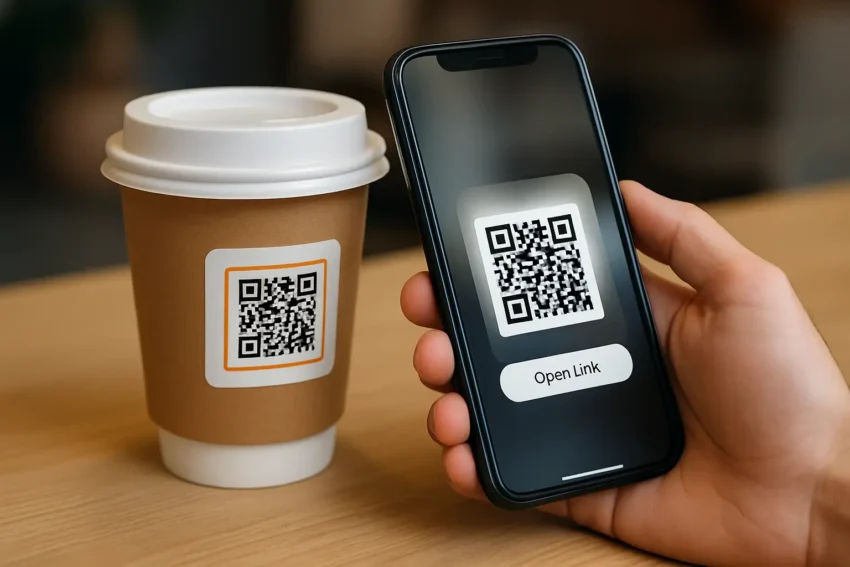
Unlock the power of QR Code Stickers with 11 must-know secrets to boost engagement, drive traffic, and grow your brand fast. Discover simple tips today!
In today’s fast-moving digital world, QR Code Stickers have become one of the smartest tools for brands to connect instantly with their audience. From enhancing customer engagement to driving traffic straight to landing pages, QR code technology offers endless possibilities. But if you think it’s just about slapping a code on a sticker, think again.
In this guide, we’re revealing 11 powerful secrets about QR Code Stickers that you need to know to unlock their full potential. Whether you’re a small business owner, a marketer, or a designer, these insider tips will help you maximize your success.
Let’s dive right in!
Table of Contents
What Are QR Code Stickers?
Simply put, QR Code Stickers are adhesive labels that feature a QR code designed to be scanned by smartphones or tablets. When scanned, they quickly direct users to websites, social media profiles, special offers, payment links, or virtually any digital content.
Businesses across industries — from retail and hospitality to real estate and healthcare — are using them to bridge the gap between offline and online experiences.
According to a recent survey, over 45% of consumers said they had scanned a marketing-related QR code in the past three months. That’s a trend no business can afford to ignore!
1. Design Matters More Than You Think
While QR codes are functional, they can also be beautifully designed. Custom colors, logos, and creative frames can make your QR Code Stickers visually appealing without losing their scan-ability.
Tip: Always maintain a strong contrast between the QR code and the background to ensure easy scanning.
2. Size Really Does Matter
If your QR code is too small, it might not scan properly, especially from a distance. A minimum size of 2 x 2 cm (0.8 x 0.8 inches) is generally recommended. However, depending on where you place the sticker, you might need to go larger.
Pro Tip: Test your stickers across different devices before mass printing.
3. Shorten URLs for Faster Scanning
Using a long URL can make your QR code denser and harder to scan. Instead, use URL shorteners or dynamic QR code generators. This will make your QR Code Stickers cleaner and quicker to read.
4. Track and Analyze Your QR Code Performance
One of the best-kept secrets is using dynamic QR codes that allow tracking. You can monitor how many people scanned your sticker, where they were located, and what device they used.
Insight: Data-driven adjustments can increase engagement rates by up to 30%.
5. Offer Real Value Behind the Code
A QR code that leads to a boring homepage won’t impress anyone. Instead, link to exclusive discounts, behind-the-scenes content, loyalty programs, or interactive experiences.
Ask yourself: Why should someone scan this sticker? Make it worth their time.
6. Use High-Quality Material for Stickers
Weather-resistant, UV-proof, and durable sticker materials ensure your QR Code Stickers maintain their integrity over time — especially for outdoor applications.
Bonus Tip: Laminated stickers protect against smudges and scratches.
7. Test Under Real-Life Conditions
Lighting, surface texture, distance, and scanning angles can affect how well a QR code works. Always test your QR Code Stickers in the exact environment where they’ll be used.
Example: Stickers on glass doors may have reflections that hinder scanning.
8. Include a Call-to-Action (CTA)
Don’t just stick a QR code on a wall and hope for the best. Tell people what they’ll get when they scan it!
Examples:
- “Scan to Win a Prize!”
- “Unlock 10% Off Your Next Purchase”
- “Discover Hidden Content”
A strong CTA can increase scan rates by up to 80%.
9. Think Beyond URLs
QR Code Stickers can do much more than direct to websites. You can link to:
- App downloads
- Menu displays
- Event RSVPs
- WiFi connections
- Contact cards (vCards)
Get creative and think about the full customer journey!
10. Update Content Without Reprinting
Dynamic QR codes allow you to change the destination link without altering the sticker itself. Perfect for ongoing promotions or seasonal updates without additional printing costs.
This flexibility saves businesses up to 50% in printing expenses over time.
11. Placement Strategy is Key
Where you place your QR Code Stickers dramatically affects their performance. High-traffic areas like entrances, waiting rooms, packaging, and product labels offer the best exposure.
Golden Rule: Make them accessible, visible, and easy to scan at a comfortable distance.
Why QR Code Stickers Are a Must-Have in 2025
With mobile-first experiences dominating consumer behavior, QR Code Stickers provide a frictionless bridge between physical and digital worlds. As technologies like augmented reality (AR) and mobile payments grow, QR code integration will only become more critical.
Businesses that master this tool early will stay ahead of the competition, deliver better customer experiences, and drive measurable results.
Recent studies predict that QR code usage will grow by 27% annually through 2028 — don’t miss the opportunity to ride that wave.
Conclusion
QR Code Stickers are a simple yet incredibly powerful tool for connecting the offline and online worlds. Whether you’re promoting a new product, collecting leads, or enhancing the customer experience, using QR codes smartly can make a big difference. By applying these 11 insider secrets, you’ll not only boost engagement but also drive more traffic and build lasting relationships with your audience. Start small, experiment, and keep optimizing — your perfect QR code strategy is just a scan away!
FAQ About QR Code Stickers
What are QR Code Stickers used for?
QR Code Stickers are used to quickly link users to websites, apps, promotions, contact information, event registrations, and more by simply scanning with a smartphone.
How big should a QR Code Sticker be?
A good minimum size is 2 x 2 cm, but larger sizes may be needed depending on placement and scanning distance to ensure easy readability.
Can I customize the design of my QR Code Stickers?
Yes! You can personalize QR codes with colors, logos, and frames to match your branding without compromising scan ability.
What’s the difference between static and dynamic QR Code Stickers?
Static QR codes are permanent and unchangeable, while dynamic QR codes allow you to edit the destination link even after printing, offering more flexibility.
How do I track the performance of my QR Code Stickers?
Use a dynamic QR code generator that offers analytics, allowing you to track scans, user locations, devices, and even times of engagement.
Where should I place my QR Code Stickers for maximum results?
High-traffic areas such as entrances, packaging, checkout counters, product displays, and promotional materials offer the best visibility and engagement.
Are QR Code Stickers safe to use?
Yes, QR codes themselves are safe. However, always make sure they direct users to secure, trustworthy links to maintain customer trust.